
BandLab is an all-in-one music creation and social platform, and we recognise the need for creators to showcase their work through live performances. Instead of directing them to external sites to host live streams, we decided to build this feature in-house.
My role in this project was to create clear and easy-to-follow messages that would simplify the concept of live streaming. Beyond this, I offered valuable design input to personalise the live streaming experience for hosts and viewers.
Live streaming isn’t rocket science
But it requires a certain degree of technical knowledge. We referenced 3 renowned live streaming platforms — Twitch, Facebook Live and YouTube Live. These platforms had unique interfaces and a varied user base, though the overall experience was largely similar.



Matching our objective with the right experience
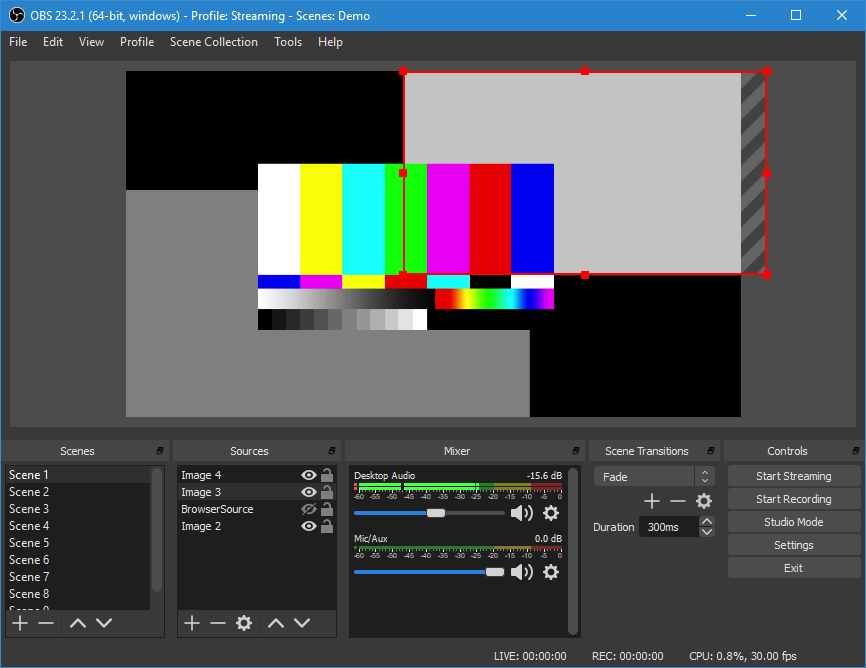
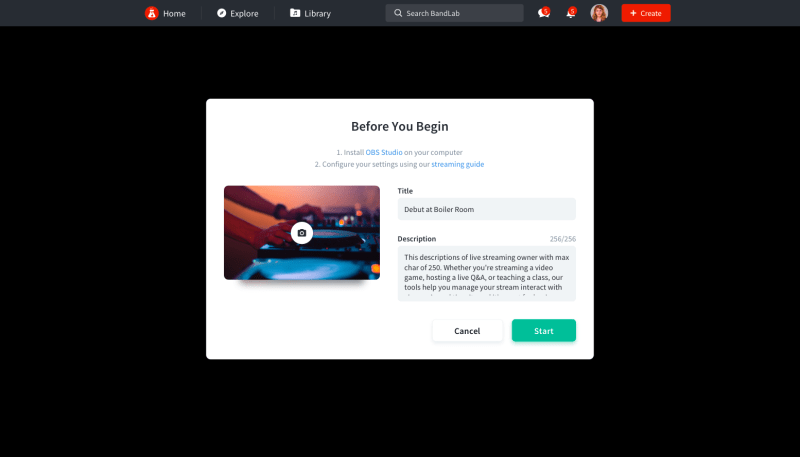
While Facebook Live and YouTube Live are directly integrated into their parent platform and relatively easy to use, Twitch uses a free 3rd party application — OBS Studio — for state of the art live streaming. OBS has a full spectrum of controls and video/image sources to choose from, making it the obvious choice for professional-level live shows. With that in mind, the choice was simple.
As always, users come first
For this feature, our users were classified under 3 groups — seasoned hosts, new hosts and viewers. This has nothing to do with their level of competency with music-making: a new host might actually be a pro musician who has only just developed an interest in live streaming.
Seasoned hosts
- Have live streamed at least once
- Are familiar with using a live streaming platform
New hosts
- Have not live streamed before
- May not have experience using a live streaming platform
- Could have been a viewer previously
Viewers
- Not interested in hosting a live stream, but would gladly watch a performance
- Have varying levels of experience in this platform
How it all works
The streaming process is slightly different for hosts and viewers. Here’s the general flow:
Hosts
- Enter live streaming feature
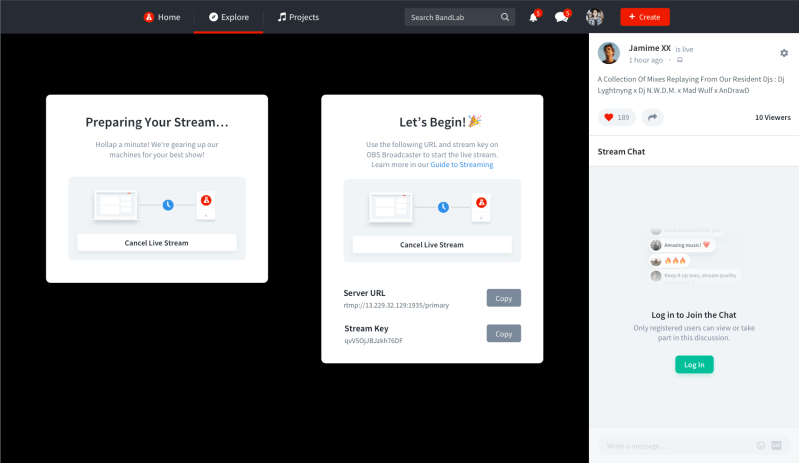
- Wait for backend to setup
- Copy and paste server URL and stream key in OBS Studio
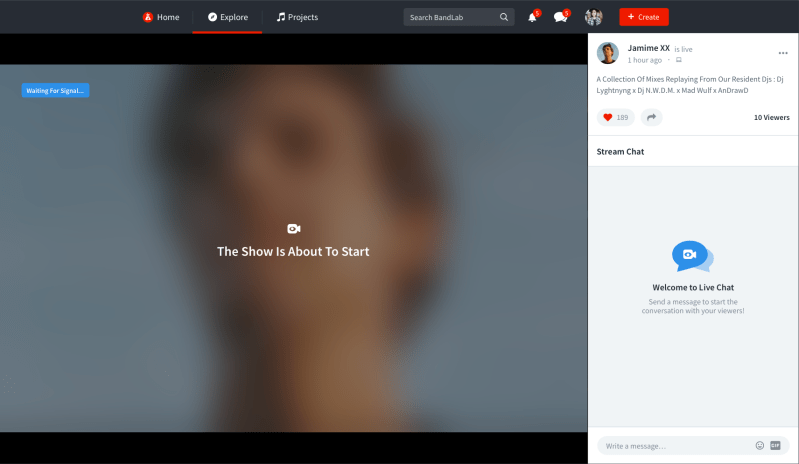
- Wait for synchronisation
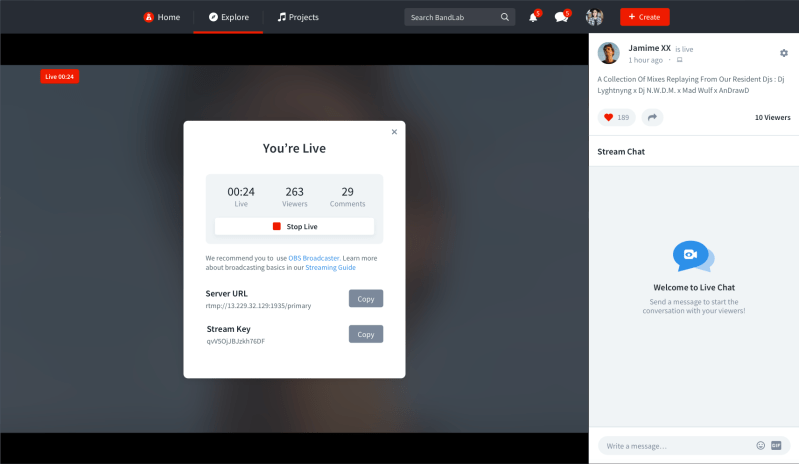
- Live stream starts
- Perform
- Live stream ends
Viewers
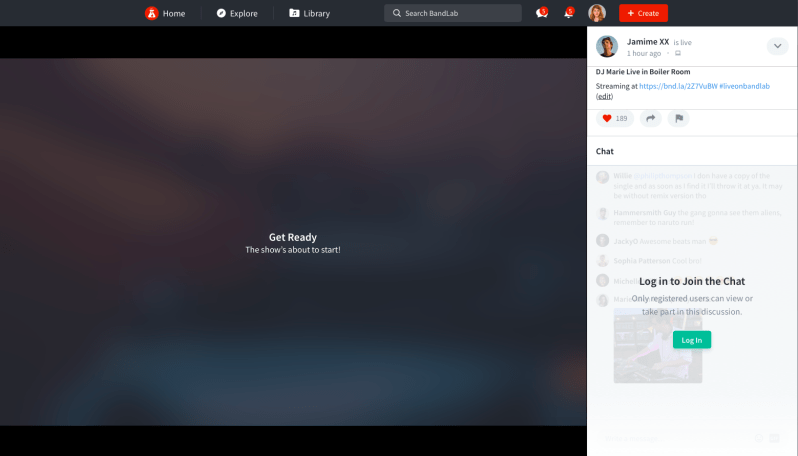
- Enter live stream from user feed
- Watch performance
- Chat with fellow streamers (optional)
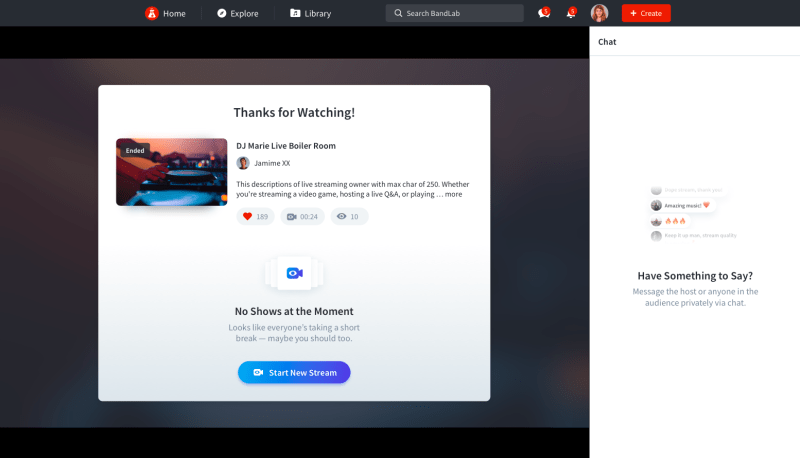
- Live stream ends
1st Iteration
The design team began creating wireframes and prototypes to tackle the use cases and functionality, inserting copy that was usable but pretty much flat.
Redesigned Prototype
Admittedly, the 1st iteration fell short of my expectations. While we ticked all the boxes for functionality, we neglected the viewers’ experience. The numbers in this group could potentially be 10 to 100 times more than hosts, and any flaws in design will definitely be picked up.
UX copy was lackadaisical as well, so I reviewed the words we used and tried alternatives that used the correct brand voice and tone.


The masterpiece is (almost) complete
Right now, live streaming is in beta and available to selected users. We continue to refine the UX based on feedback and reviews received, before the official launch slated for later this year.
 Daniel Loy